 Fundamentals Hub
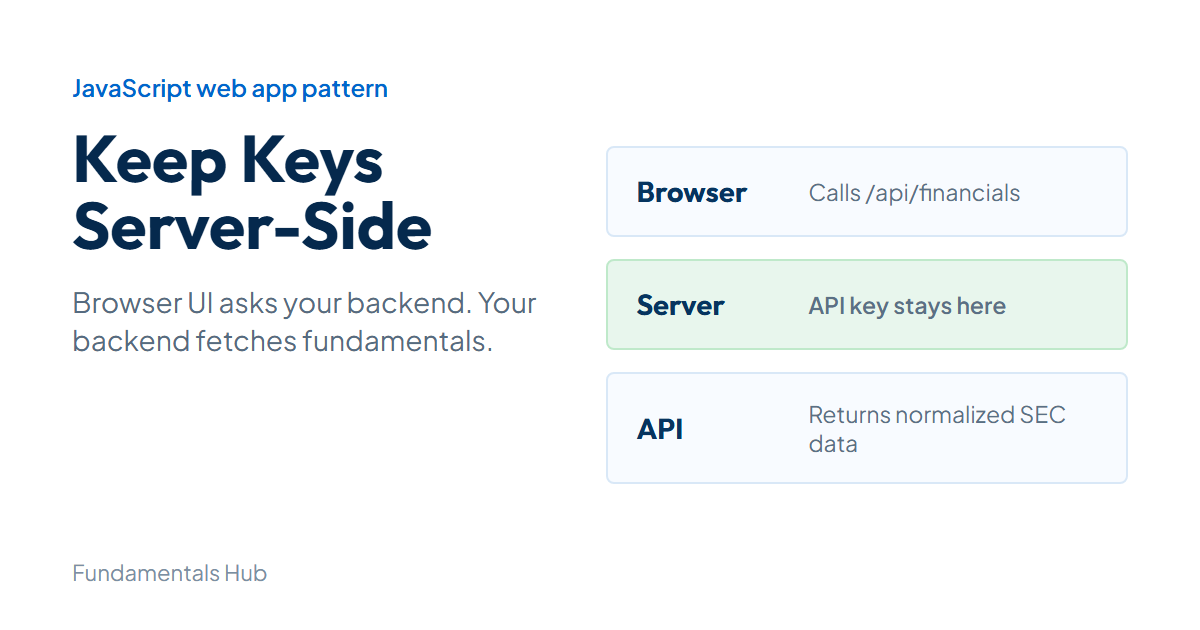
The risky version is three lines long: call the upstream provider from the browser, paste the API key into the frontend bundle, and ship it. A financial API JavaScript pattern like that works in local testing. It fails the moment someone opens DevTools and copies the key.
This guide shows the safer pattern for a web app: browser calls your server, your server calls the financial API, and the API key stays in an environment variable. The examples use Fundamentals Hub because it returns normalized SEC financial data through /api/v2, but the architecture applies to any authenticated financial data API. For a broader developer workflow, the financial data Python guide covers the analysis side.
Why Financial API JavaScript Calls Need a Server Route
- Financial API JavaScript
- A JavaScript integration pattern for fetching financial data through a backend route or server-rendered app.
- API key
- A secret credential used to authenticate upstream API requests. It should not be exposed in browser bundles.
- Server-side route
- A backend endpoint that validates input, adds the secret header, calls the provider, and returns a UI-safe response.
- Rate limiting
- Provider controls that limit request volume by minute, hour, day, or monthly window.
A financial API in JavaScript belongs behind a server-side route, not in browser code. The reason is simple: API keys in shipped JavaScript are public.
Frontend-only calls also make rate limiting harder. If each browser session hits the upstream API, your product has less control over caching, retries, and error messages. A thin backend route gives you one place to validate ticker input, trim the response, cache repeated requests, and return a UI-friendly payload.
The pattern looks like this:
Browser UI -> Your /api/financials route -> Fundamentals Hub /api/v2 -> SEC-normalized dataThat middle layer can be Express, Next.js, Laravel, Rails, serverless functions, or any backend you already run. The important part is that the secret key never crosses into the browser.
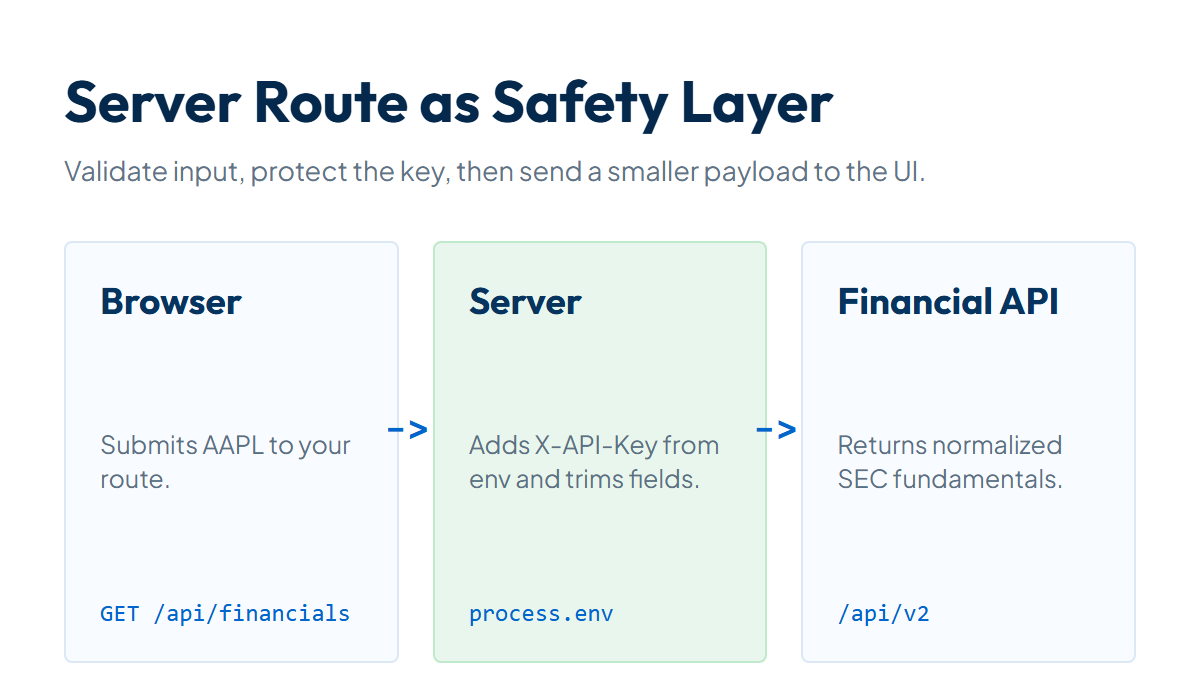
Step 1: Create a Server-Side API Helper
Start with a focused helper that calls the upstream API. This example uses Node.js with the built-in fetch available in modern Node versions.
const BASE_URL = "https://fundamentalshub.com/api/v2";

            async function fundamentalsHubGet(path, params = {}) {
              const url = new URL(`${BASE_URL}${path}`);

              for (const [key, value] of Object.entries(params)) {
                if (value !== undefined && value !== null && value !== "") {
                  url.searchParams.set(key, value);
                }
              }

              const response = await fetch(url, {
                headers: {
                  "X-API-Key": process.env.FUNDAMENTALS_HUB_API_KEY,
                },
              });

              const payload = await response.json();

              if (!response.ok || payload.success === false) {
                const message = payload.message || payload.error || "Financial API request failed";
                const error = new Error(message);
                error.status = response.status;
                error.rateLimitRemaining = response.headers.get("X-RateLimit-Remaining");
                throw error;
              }

              return payload;
            }

            module.exports = { fundamentalsHubGet };
The helper handles query parameters, authentication, HTTP status codes, and API-level errors. Keeping this in one file prevents a common web-app problem: five components each call the API slightly differently.
Step 2: Fetch Company Financials by Ticker
The documented financials endpoint accepts a ticker or CIK:
GET /api/v2/companies/{identifier}/financialsUse period=ttm for a current snapshot and fields=all when you want the complete statement field set:
async function getTtmFinancials(ticker) {
              const symbol = String(ticker || "").trim().toUpperCase();

              if (!/^[A-Z]{1,5}$/.test(symbol)) {
                const error = new Error("Invalid ticker");
                error.status = 400;
                throw error;
              }

              return fundamentalsHubGet(`/companies/${encodeURIComponent(symbol)}/financials`, {
                period: "ttm",
                fields: "all",
              });
            }
The response contains company metadata and an array of financial periods:
{
              "success": true,
              "company": {
                "cik": "0000320193",
                "ticker": "AAPL",
                "name": "Apple Inc."
              },
              "data": [
                {
                  "filing_period": "TTM",
                  "period_end": "2026-03-28",
                  "revenue": 451442000000,
                  "gross_profit": 216071000000,
                  "operating_income": 147366000000,
                  "net_income": 122575000000,
                  "total_assets": 371082000000,
                  "total_debt": 82714000000,
                  "free_cash_flow": 129174000000
                }
              ],
              "periods_returned": 1
            }
The flat response shape is deliberate. A React component can render revenue or free_cash_flow without knowing which SEC XBRL tag produced the number. For background on why SEC data benefits from that normalization layer, read the XBRL data explainer.
Step 3: Return Only UI Fields
Do not send every upstream field to the browser if the card shows six metrics. A trimmed response is easier to cache, easier to test, and less likely to couple the UI to the provider's full schema.
Here is an Express route:
const express = require("express");
            const { fundamentalsHubGet } = require("./fundamentalsHub");

            const app = express();

            app.get("/api/financials", async (req, res) => {
              try {
                const ticker = String(req.query.ticker || "").trim().toUpperCase();

                if (!/^[A-Z]{1,5}$/.test(ticker)) {
                  return res.status(400).json({ error: "Invalid ticker" });
                }

                const payload = await fundamentalsHubGet(
                  `/companies/${encodeURIComponent(ticker)}/financials`,
                  { period: "ttm", fields: "all" },
                );

                const latest = payload.data[0] || {};

                return res.json({
                  company: {
                    ticker: payload.company.ticker,
                    name: payload.company.name,
                    cik: payload.company.cik,
                  },
                  period: {
                    label: latest.filing_period,
                    end: latest.period_end,
                  },
                  metrics: {
                    revenue: latest.revenue,
                    grossProfit: latest.gross_profit,
                    operatingIncome: latest.operating_income,
                    netIncome: latest.net_income,
                    totalDebt: latest.total_debt,
                    freeCashFlow: latest.free_cash_flow,
                  },
                });
              } catch (error) {
                const status = error.status || 500;
                return res.status(status).json({
                  error: status === 500 ? "Server error" : error.message,
                });
              }
            });
This route is intentionally narrow. It accepts one ticker, fetches one TTM record, and returns a view model for the frontend. Add more routes when the UI adds annual history, quarterly detail, or industry search.
(Fundamentals Hub handles the SEC normalization before this route runs, so your JavaScript code can focus on the web app instead of parsing XBRL.)
Step 4: Render Fundamentals in the Browser
Now the browser calls your server route, not the upstream financial API:
async function loadFinancials(ticker) {
              const response = await fetch(`/api/financials?ticker=${encodeURIComponent(ticker)}`);
              const payload = await response.json();

              if (!response.ok) {
                throw new Error(payload.error || "Could not load financials");
              }

              return payload;
            }
A rendering helper keeps number formatting out of the fetch logic. Use DOM text APIs for API-provided strings so company names and period labels are not injected as raw HTML:
function formatBillions(value) {
              if (value === null || value === undefined || Number.isNaN(Number(value))) {
                return "n/a";
              }

              return `$${(Number(value) / 1_000_000_000).toFixed(1)}B`;
            }

            function addMetric(list, label, value) {
              const group = document.createElement("div");
              const term = document.createElement("dt");
              const detail = document.createElement("dd");

              term.textContent = label;
              detail.textContent = formatBillions(value);
              group.append(term, detail);
              list.append(group);
            }

            function renderFinancialCard(data) {
              const root = document.querySelector("#financial-card");
              const metrics = data.metrics;

              const title = document.createElement("h2");
              title.textContent = `${data.company.ticker} fundamentals`;

              const period = document.createElement("p");
              period.textContent = `${data.company.name} - ${data.period.label} ending ${data.period.end}`;

              const list = document.createElement("dl");
              addMetric(list, "Revenue", metrics.revenue);
              addMetric(list, "Operating income", metrics.operatingIncome);
              addMetric(list, "Net income", metrics.netIncome);
              addMetric(list, "Free cash flow", metrics.freeCashFlow);
              addMetric(list, "Total debt", metrics.totalDebt);

              root.replaceChildren(title, period, list);
            }
Wire it to a form:
document.querySelector("#ticker-form").addEventListener("submit", async (event) => {
              event.preventDefault();

              const input = document.querySelector("#ticker");
              const ticker = input.value.trim().toUpperCase();
              const errorBox = document.querySelector("#error");

              errorBox.textContent = "";

              try {
                const data = await loadFinancials(ticker);
                renderFinancialCard(data);
              } catch (error) {
                errorBox.textContent = error.message;
              }
            });
Keep raw numeric values as numbers until the final render step. If your app later adds ratios, charts, or export buttons, you will not have to undo display strings like "$451.4B".
X-API-Key header.Error Handling and Rate Limit Headers
A good financial data UI makes failures boring. Bad ticker, invalid API key, rate limit, and missing data are separate states.
| Situation | Server status | UI behavior |
|---|---|---|
| Empty or invalid ticker | 400 | Keep the form open and show validation text |
| Missing or invalid upstream key | 401 | Log server-side, show generic configuration error |
| Ticker not found | 404 | Ask the user to search again |
| Rate limit exceeded | 429 | Show retry text or use cached data |
| Upstream server issue | 500 | Show a temporary failure message |
Forwarding upstream errors to the browser can leak implementation detail. Instead, log the original payload server-side and return UI-safe messages.
You can still use rate-limit headers in the server route:
async function fundamentalsHubGet(path, params = {}) {
              const url = new URL(`${BASE_URL}${path}`);
              Object.entries(params).forEach(([key, value]) => url.searchParams.set(key, value));

              const response = await fetch(url, {
                headers: { "X-API-Key": process.env.FUNDAMENTALS_HUB_API_KEY },
              });

              const remaining = response.headers.get("X-RateLimit-Remaining");
              const reset = response.headers.get("X-RateLimit-Reset");
              const payload = await response.json();

              if (response.status === 429) {
                const error = new Error(`Financial data limit reached. Retry after ${reset || "a short wait"}.`);
                error.status = 429;
                throw error;
              }

              if (!response.ok || payload.success === false) {
                const error = new Error(payload.message || payload.error || "Financial API request failed");
                error.status = response.status;
                error.rateLimitRemaining = remaining;
                throw error;
              }

              return payload;
            }
A practitioner detail: do not treat 0, null, and missing fields as the same value. A zero can be a meaningful reported or computed value. A null means the field is unavailable for that company and period. A missing property can mean your trimming logic removed it.
Add a Short Cache
Financial fundamentals do not need per-click refetching. Cache the server response for a short window so multiple users looking at AAPL do not trigger identical upstream calls.
Here is a simple in-memory cache for a Node app:
const cache = new Map();
            const CACHE_TTL_MS = 60 * 60 * 1000;

            function getCached(key) {
              const entry = cache.get(key);
              if (!entry) return null;

              if (Date.now() > entry.expiresAt) {
                cache.delete(key);
                return null;
              }

              return entry.value;
            }

            function setCached(key, value) {
              cache.set(key, {
                value,
                expiresAt: Date.now() + CACHE_TTL_MS,
              });
            }
Keep the upstream fetch and UI shaping in one helper so the cached route stays small:
async function getFinancialViewModel(ticker) {
              const symbol = String(ticker || "").trim().toUpperCase();

              if (!/^[A-Z]{1,5}$/.test(symbol)) {
                const error = new Error("Invalid ticker");
                error.status = 400;
                throw error;
              }

              const payload = await fundamentalsHubGet(
                `/companies/${encodeURIComponent(symbol)}/financials`,
                { period: "ttm", fields: "all" },
              );

              const latest = payload.data[0] || {};

              return {
                company: {
                  ticker: payload.company.ticker,
                  name: payload.company.name,
                  cik: payload.company.cik,
                },
                period: {
                  label: latest.filing_period,
                  end: latest.period_end,
                },
                metrics: {
                  revenue: latest.revenue,
                  grossProfit: latest.gross_profit,
                  operatingIncome: latest.operating_income,
                  netIncome: latest.net_income,
                  totalDebt: latest.total_debt,
                  freeCashFlow: latest.free_cash_flow,
                },
              };
            }
Then use it in the route:
app.get("/api/financials", async (req, res) => {
              const ticker = String(req.query.ticker || "").trim().toUpperCase();
              const cacheKey = `ttm:${ticker}`;
              const cached = getCached(cacheKey);

              if (cached) {
                return res.json(cached);
              }

              try {
                const payload = await getFinancialViewModel(ticker);
                setCached(cacheKey, payload);
                return res.json(payload);
              } catch (error) {
                return res.status(error.status || 500).json({ error: error.message });
              }
            });
Use Redis, database caching, or platform cache for production workloads with multiple server instances. The point is the same: control upstream calls from your backend.
JavaScript vs Python for Financial Data Workflows
JavaScript is the right choice when the financial data is part of an interactive web product. Python is the better fit for notebooks, batch analysis, pandas pipelines, and scheduled research jobs.
The API layer can serve both. A Python script might pull annual data for 500 companies overnight. A JavaScript web app might fetch one TTM snapshot when a user opens a company page. Those are different workloads, so they deserve different caching and error handling.
The shared rule is to keep financial semantics out of fragile UI code. A frontend component does not have to know how to identify quarterly cash flow from a raw SEC filing. It only has to display freeCashFlow, label the period, and handle n/a.
FAQ
Can I call a financial API directly from browser JavaScript?
Only if the endpoint is public and does not require a secret. For authenticated financial APIs, use a server route so your API key is not included in the browser bundle.
What header does Fundamentals Hub use for API keys?
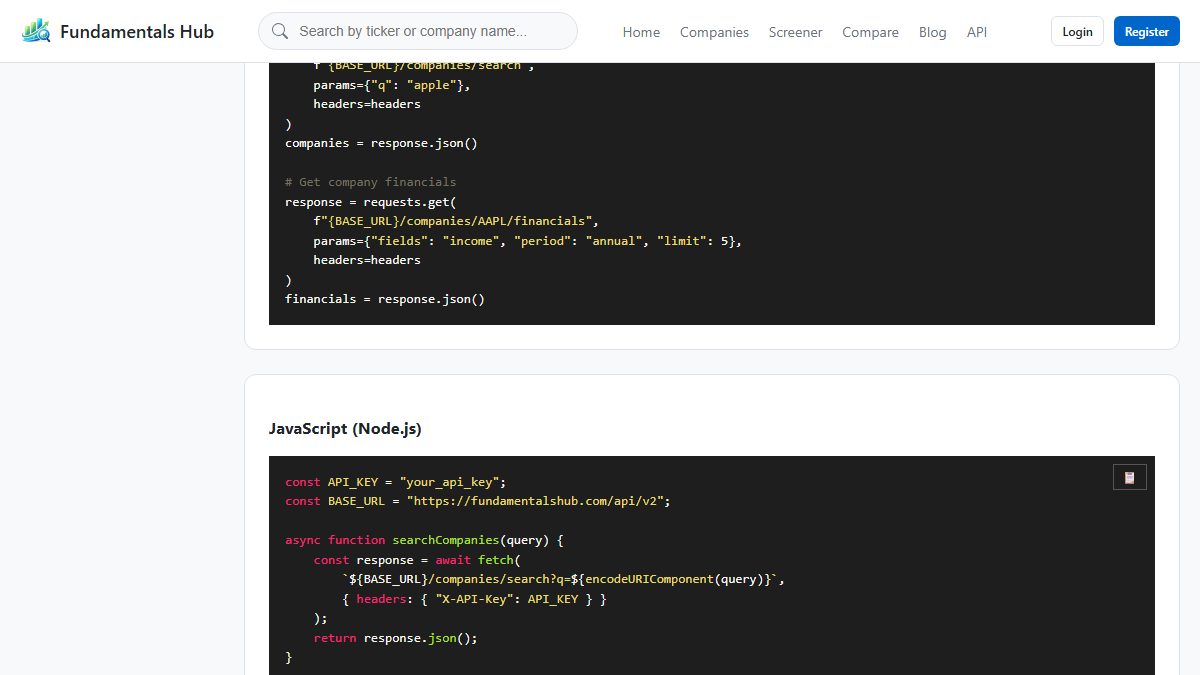
The documented API uses X-API-Key: your_api_key. The server-side examples in this guide read the key from process.env.FUNDAMENTALS_HUB_API_KEY.
Which endpoint fetches fundamentals by ticker?
Use GET /api/v2/companies/{identifier}/financials, where the identifier can be a ticker such as AAPL or a CIK. Query parameters include period=ttm, period=annual, period=quarterly, and fields=all.
Does the frontend need every financial field?
No. Return the fields the UI displays. Keep the full upstream response on the server when useful, then send a smaller view model to the browser.
How does JavaScript handle missing financial values?
Render null values as n/a, not as zero. A zero and a missing value mean different things in financial statements.